
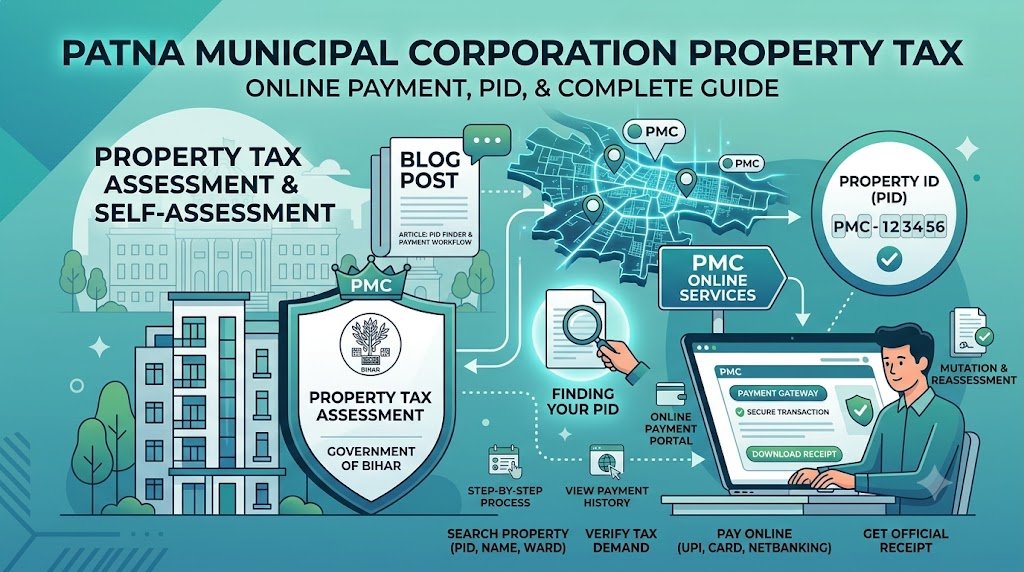
Owning a house, apartment, shop or other property in Patna comes with certain municipal responsibilities. One of the most important is paying property tax, also commonly called holding tax.
The Patna Municipal Corporation (PMC) provides online services that allow property owners to search property records, check tax demands, pay holding tax and access payment details. Understanding how these services work can help you manage your property records and avoid unnecessary delays.
Whether you already own a property in Patna or are planning to purchase one, this guide explains how to check PMC property tax online, find your Property Identification Number (PID), understand tax assessment and resolve common payment problems.
What Is Patna Municipal Corporation Property Tax?
Property tax is a municipal levy collected by the Patna Municipal Corporation on properties falling within its jurisdiction. The revenue supports civic administration and public services.
PMC provides services for:
- Property tax assessment and self-assessment.
- Generation of a new Property Identification Number.
- Online holding tax payment.
- Property record searches and payment history.
- Property mutation and reassessment.
- Tax-related grievances and corrections.
Official property tax portal: https://pmcptax.bihar.gov.in/pmc/public/index.html
Before using any online payment service, confirm that you are on the official municipal website.
What Is a Property Identification Number (PID)?
A Property Identification Number, or PID, is a unique identifier associated with a property’s municipal tax record. It helps PMC locate the property and retrieve its assessment and payment details.
You may need your PID to check the amount due, pay holding tax or review previous transactions.
How to Find Your PID
If you have paid property tax previously, check an older tax receipt or challan. Your property identification details may be mentioned there.
If you cannot locate the number, use the official PMC portal’s property search facility. Depending on the available search options, you may be able to find your record using:
- Property number or old PID.
- SAS number.
- New or old holding number.
- Circle or ward.
- Property owner’s name.
You can access the search facility through the official PMC property tax portal.
Always confirm that the property address and owner details match your records before making a payment.
How to Check Patna Property Tax Online
You can check your property details and available tax demand information through PMC’s online services.
Step 1: Visit the official portal
Open https://pmcptax.bihar.gov.in/pmc/public/index.html.
Step 2: Select the property search option
Look for options such as Search Property, Search Assessment or View Property Details.
Step 3: Enter the available property details
Enter your PID, old holding number, SAS number or another identifier accepted by the portal. You may also be able to search using the circle, ward or owner’s name.
Step 4: Review the property record
Check the owner’s name, property details and other available assessment information. Make sure the record belongs to your property.
Step 5: Check the tax demand
Review the outstanding amount and applicable assessment period. If the details appear incorrect, contact PMC before proceeding with payment.
The portal’s available options may change, so follow the instructions currently displayed on the official website.
How to Pay Patna Municipal Corporation Property Tax Online
PMC provides an online facility for paying property tax without visiting a municipal office for every transaction.
Follow these steps:
- Open the official PMC property tax portal.
- Search for your property using your PID or another accepted identifier.
- Open the relevant property or payment details.
- Verify the outstanding amount and assessment period.
- Choose the available online payment option.
- Complete the transaction through the payment gateway.
- Save the payment confirmation and download the receipt when it becomes available.
Keep a copy of your receipt and transaction reference for future use.
If money has been deducted but the receipt has not appeared, check the payment status before attempting another transaction. This can help prevent duplicate payments.
How Is Property Tax Calculated in Patna?
The amount of holding tax payable depends on the applicable PMC assessment rules and the details of the property.
Factors relevant to the assessment may include:
- Property location and the classification of the road.
- Use of the property, such as residential or commercial.
- Measured area and construction details.
- Annual Rental Value (ARV) and applicable assessment rules.
- Applicable tax rates and additional municipal charges.
PMC’s published FAQ states a holding tax rate of 9% of Annual Rental Value (ARV). ARV is an assessed rental value and does not necessarily equal the rent actually received by the owner.
The PMC portal has also published notices about changes to ARV and road classifications. Therefore, do not calculate your current tax using an old example or a generic online estimate. Check the latest municipal notices and the demand displayed for your property.
Official reference: https://www.pmc.bihar.gov.in/FAQs.aspx
What If Your Property Does Not Have a PID?
A newly constructed property or a property that has not previously been assessed may not have an existing PID.
In such cases, check the New Assessment or Self Assessment service on the official PMC portal. You may need to provide property details and the supporting documents requested by the municipality.
PMC’s FAQ states that a Property ID can be generated through its assessment process when the submitted information and documents are correct and accepted.
Do not enter estimated or incorrect property measurements simply to complete the form. Incorrect declarations can lead to reassessment and penalties under the applicable rules.
How to Update Property Ownership in PMC Records
When a property changes hands through a sale, gift or inheritance, the municipal records may need to be updated through the applicable mutation or ownership-change process.
This helps ensure that the municipal assessment reflects the relevant ownership information.
Depending on the circumstances, you may be asked to provide:
- The applicable mutation or ownership-change application.
- A registered sale deed, gift deed or other relevant ownership document.
- Identity and supporting details requested by PMC.
- Previous property tax receipts, where applicable.
- Additional documents required for the particular case.
Check the current PMC instructions before submitting an application, as requirements may vary by case.
Important: Updating municipal property records is not a substitute for verifying legal ownership. Buyers should separately check the registered documents, title history and other applicable legal requirements.
Common PMC Property Tax Problems and How to Resolve Them
1. Payment Successful but Receipt Not Available
First, check the payment status and transaction history on the official portal. If the amount has been deducted but the payment is not reflected, retain the transaction reference and contact PMC or the relevant payment provider.
Avoid paying again until you have checked whether the original transaction succeeded.
2. Incorrect Property Details
If the portal displays an incorrect owner name, property area or other assessment detail, compare the online record with your documents. Contact the PMC revenue department or the appropriate municipal office to ask about the correction or reassessment process.
3. Unable to Find the PID
Try the other identifiers accepted by the property search facility, such as the old holding number, SAS number, ward or owner’s name. If the record still cannot be found, contact PMC for assistance.
4. Tax Demand Seems Too High
Review the assessment details and applicable municipal notices. If you believe the amount is incorrect, request clarification or follow the prescribed reassessment or grievance procedure.
5. Ownership Details Have Not Been Updated
Check the status of your mutation or ownership-change application. If the application is incomplete or pending, contact the relevant office to identify any outstanding requirements.
For assistance, use the contact information displayed on the official PMC portal. The property tax portal currently lists 155 304 as its helpline number.
What Property Buyers in Patna Should Check Before Purchasing
Property tax is only one part of property due diligence. Before purchasing a house, apartment or residential plot, buyers should check the relevant records and responsibilities associated with the property.
Consider the following:
- Ownership documents: Verify the registered sale deed and relevant title documents.
- Property identification: Confirm that the municipal record corresponds to the property being purchased, where applicable.
- Outstanding tax dues: Check whether municipal tax remains unpaid.
- Property measurements: Compare the recorded area with the documents and actual property.
- Approvals and restrictions: Check the applicable approvals, land-use rules and legal restrictions.
- Ownership updates: Understand what needs to be completed with the relevant municipal and land-record authorities after the purchase.
If you are considering a residential plot around Patna, including Maner or Naubatpur, verify the property’s actual location and the authority responsible for its records. Not every property near Patna falls within Patna Municipal Corporation’s jurisdiction.
Dhruv Iconic’s Icon Village and Icon Residency are options prospective buyers can explore as part of their property search. As with any property purchase, review the relevant project documents, approvals and applicable terms before making a decision.
Frequently Asked Questions
1. How can I pay Patna Municipal Corporation property tax online?
Visit the official PMC property tax portal, search for your property, verify the tax demand and complete payment using an available online payment method.
2. How do I find my PID number in Patna?
Check an old property tax receipt or use the PMC property search service. Depending on the available options, you may be able to search using your old holding number, SAS number, ward or owner’s name.
3. What is the property tax rate in Patna?
PMC’s published FAQ states a holding tax rate of 9% of Annual Rental Value. The applicable demand depends on the property’s assessment and current municipal rules. Check the official portal for current details.
4. Can I pay property tax without a PID?
You may first need to locate your existing record or complete the applicable new assessment process. Check PMC’s current portal instructions for the available options.
5. What should I do if my property tax payment fails?
Check the transaction status and payment history before trying again. If the amount has been deducted, retain the transaction reference and contact the relevant support channel.
6. Is PMC property tax applicable to every plot around Patna?
Not necessarily under the same municipal system. The applicable authority depends on the property’s exact location and jurisdiction. Confirm which local body is responsible before using PMC services.
7. Is property tax proof of property ownership?
No. A property tax receipt is evidence of a tax payment, not conclusive proof of legal title. Ownership should be verified using the relevant registered documents and legal records.
Conclusion
Managing Patna Municipal Corporation property tax becomes easier when you know how to locate your PID, review your assessment, pay dues online and retain payment receipts.
Use the official PMC portal for current property records and tax demands. If you notice an error, an unexplained charge or an unsuccessful transaction, seek clarification from the municipal authority before taking further action.
For anyone purchasing property in Patna or nearby areas, remember that municipal tax checks are just one part of due diligence. Verify ownership documents, applicable approvals and the property’s jurisdiction before completing a transaction.